← All projectsDESIGN IN DETAIL / P007

Cyber Awareness.

Five familiar digital moments. Five opportunities to make a more thoughtful choice.

Explore the story
Password-awareness interface with a sample input, large on-screen keyboard and immediate feedback.
Interface artwork. Security estimates are project content, not a validated assessment.
01 / THE IDEA

A closer
look.

Make an abstract topic feel immediate: a password to enter, a permission to grant, a post to share or a message to question.

This family of interface studies turns cybersecurity themes into small, recognizable activities. Each screen begins with a situation people already know, then brings one decision into focus. The collection spans a large-format keyboard, social content, permission switches, a phone inbox and a verification keypad.

02 / DESIGN APPROACH

From intention
to experience.

A consistent cyan-on-dark visual language connects the activities. Familiar interface patterns provide context, while oversized controls and brief instructions make the point of interaction easy to identify.

01

Recognize the situation

A familiar phone, social feed or keyboard provides the starting point. The subject is introduced through the interface itself.

02

Focus the decision

Each activity isolates a different action: choosing permissions, assessing a message, entering a password or reviewing a verification request.

03

Make the response visible

Prominent controls, selected states and feedback areas keep the visitor’s action connected to the learning prompt.

03 / THE VISUAL STORY

The work,
in full.

Explore the complete compositions and interface states. Select any image for a closer look.

05 / PROJECT IMAGES

Select a view to explore.

VIEW 01 / 05

Make the invisible tangible

A password exercise pairs familiar input with immediate feedback. Displayed security estimates are part of the activity artwork.
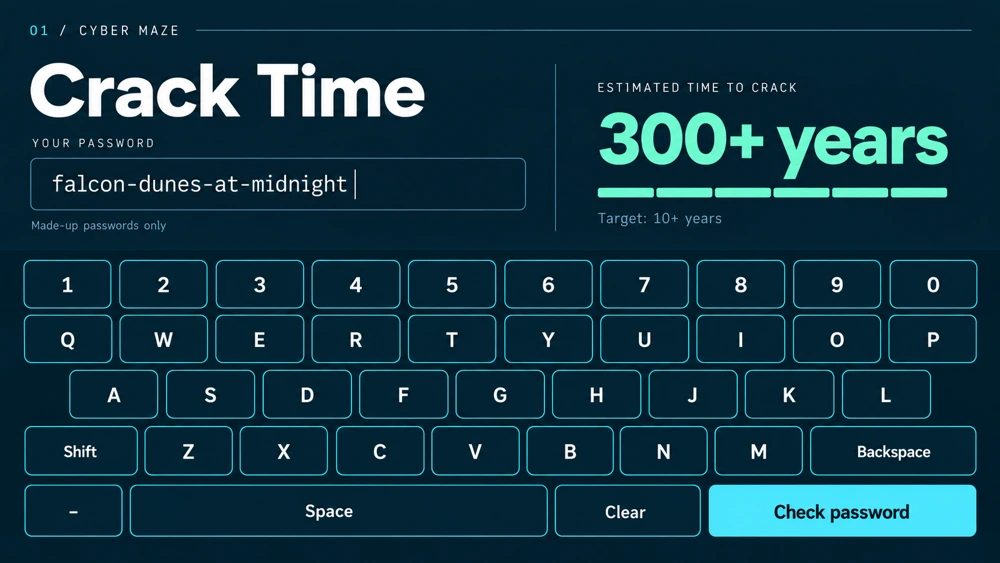
Password-awareness interface with a sample input, large on-screen keyboard and immediate feedback.
Interface artwork. Security estimates are project content, not a validated assessment.
VIEW 02 / 05

Permission check

Permission check: a camera app asks visitors to distinguish necessary access from unrelated requests.
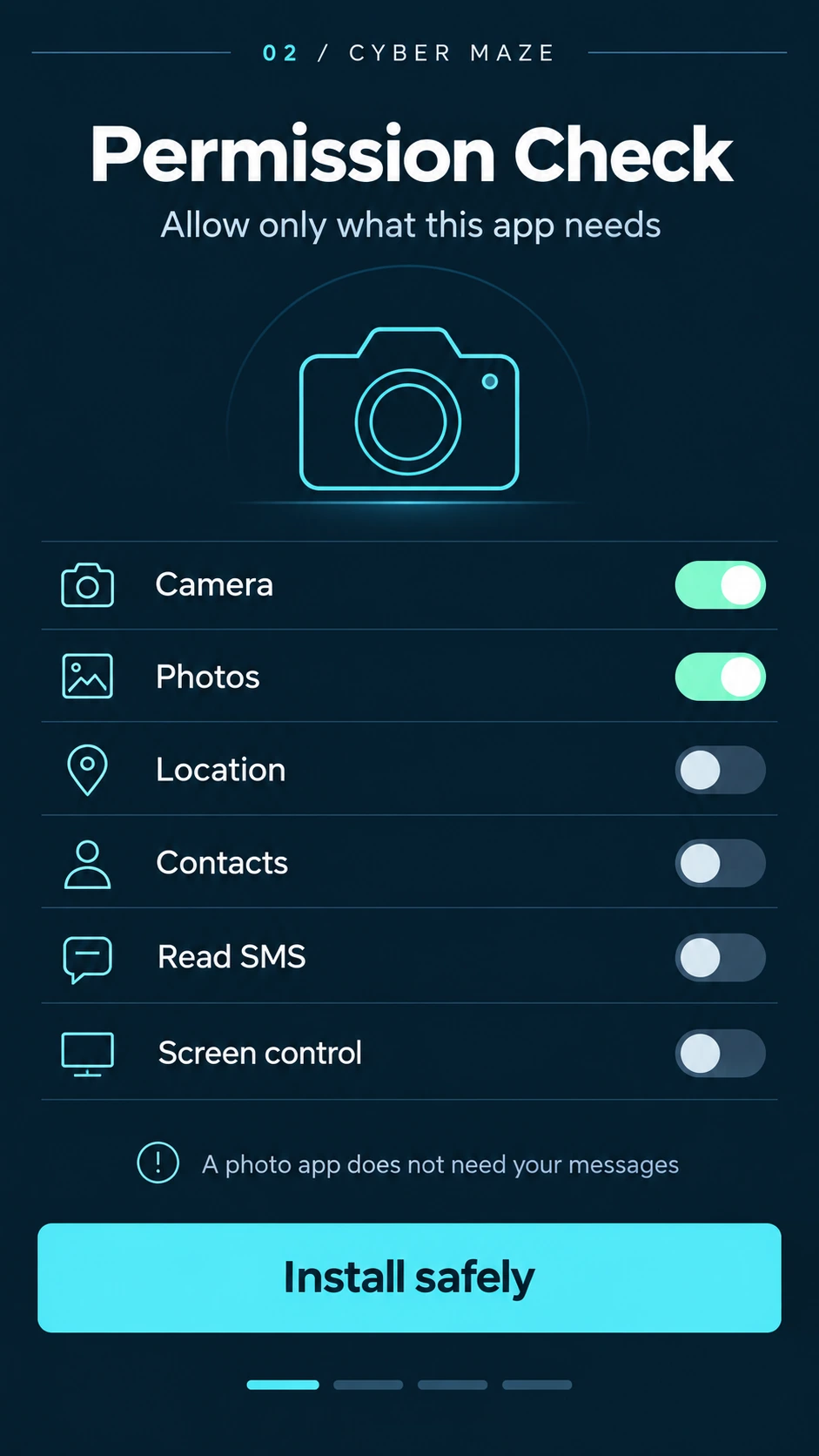
A cyan permission-check interface with individual switches for camera, photos, location and contacts.
Permission check: a camera app asks visitors to distinguish necessary access from unrelated requests.
VIEW 03 / 05

Read between the posts

A simulated social profile becomes an exercise in spotting what everyday posts reveal.
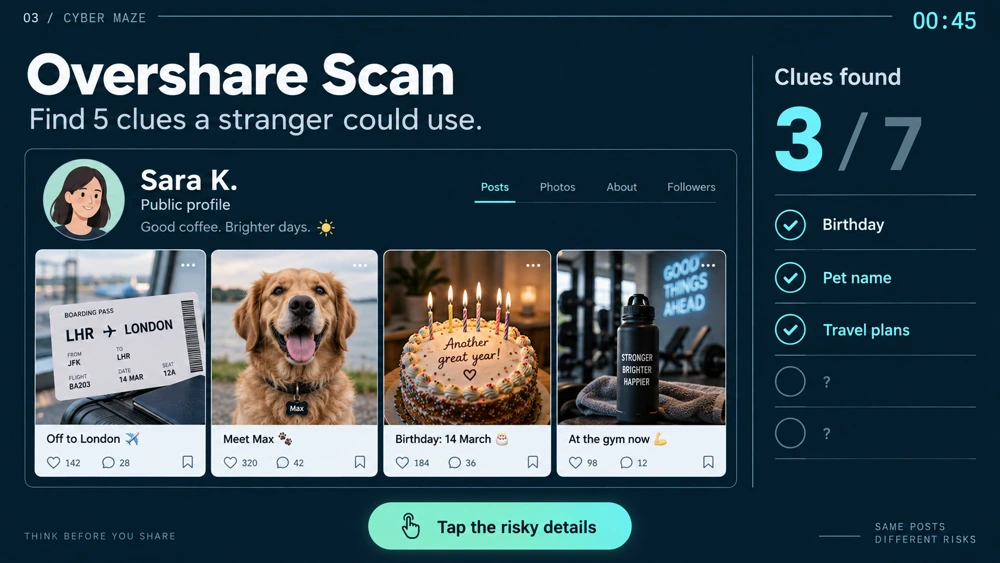
Social-profile awareness activity with a grid of sample posts and clue indicators.
A second interface state. Personal authorship and approved activity set remain to be confirmed.
VIEW 04 / 05

Suspicious-message exercise

Inbox exercise: routine and suspicious example messages share the same familiar phone layout.
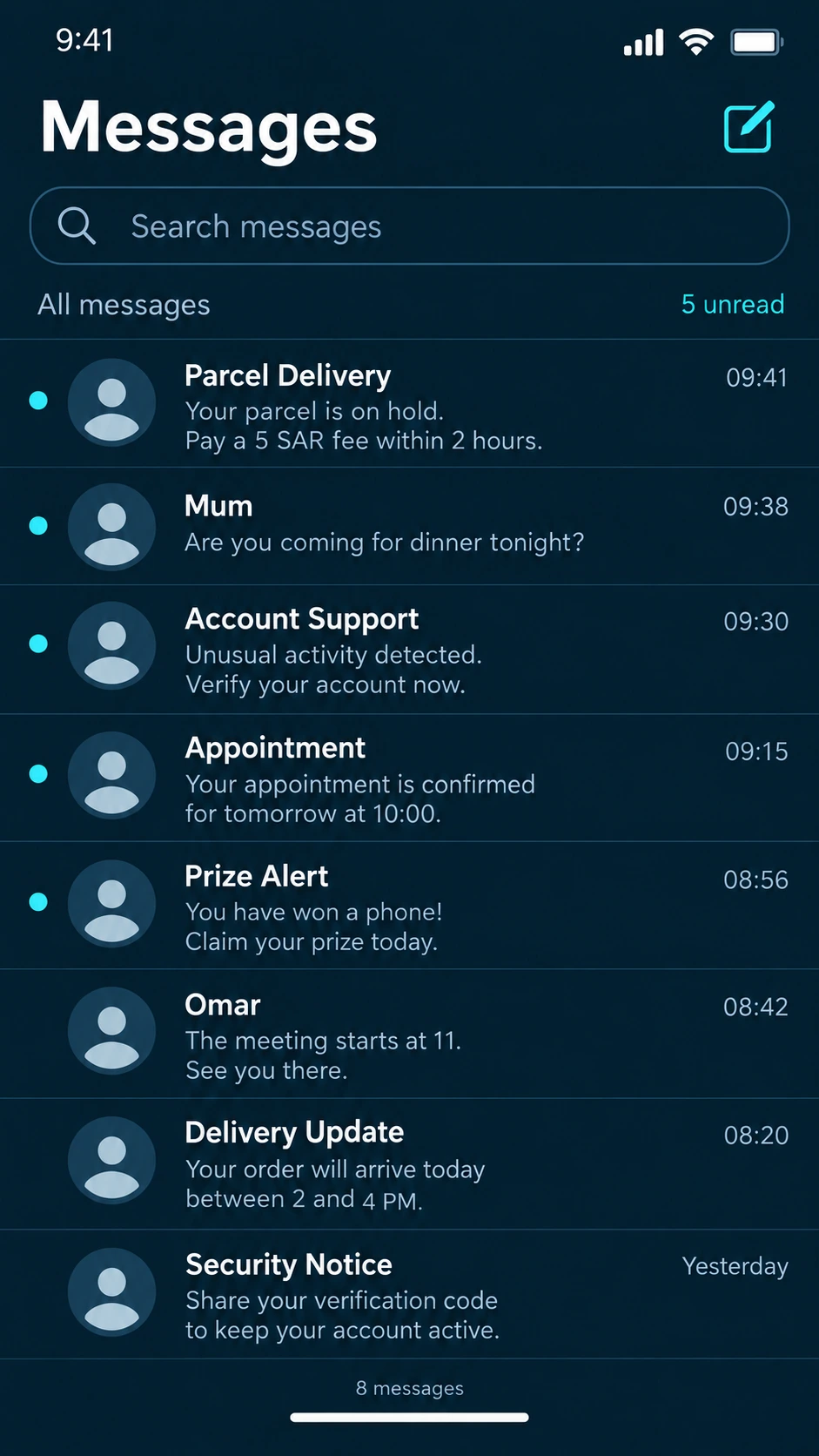
A simulated phone inbox mixes routine messages with suspicious delivery, prize and account alerts.
Inbox exercise: routine and suspicious example messages share the same familiar phone layout.
VIEW 05 / 05

Verification prompt

Verification prompt: a large keypad and a reminder to approve only requests the visitor initiated.
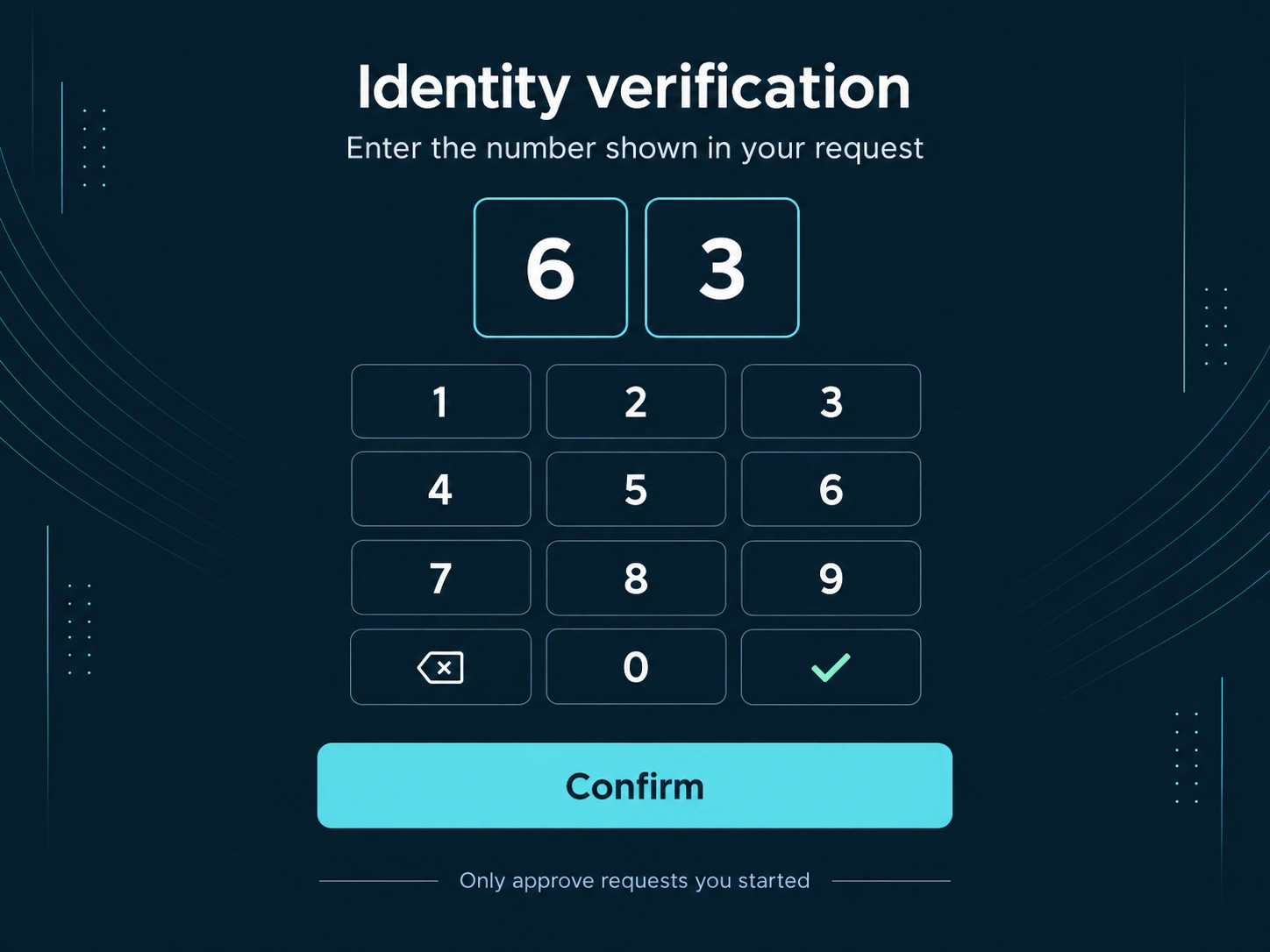
A tablet-style verification screen with a two-digit number and large numeric keypad.
Verification prompt: a large keypad and a reminder to approve only requests the visitor initiated.
04 / THE DETAILS

What brings
it together.

Structure, interaction and visual decisions that give the work its character.

Design decisions

  • A shared dark-blue and cyan palette across different device formats.
  • Large keyboards, switches and keypads as the main interaction targets.
  • Short prompts and clear visual separation between the situation and the action.

Project components

  • Password-awareness activity with a full on-screen keyboard.
  • Permission-check and social-sharing interface compositions.
  • Portrait inbox exercise and tablet-style verification screen.
Production notes & credits

RoleConfirm graphic/UI design, interaction decisions and implementation separately.

AssetsAramco folder context does not establish a direct client relationship. Existing mechanics, supplied copy, branding and collaborators need attribution.

StatusInterface and concept evidence; approved version and installation status unverified.

Image notes

  • Interface artwork. Security estimates are project content, not a validated assessment.
  • Permission check: a camera app asks visitors to distinguish necessary access from unrelated requests.
  • A second interface state. Personal authorship and approved activity set remain to be confirmed.
  • Inbox exercise: routine and suspicious example messages share the same familiar phone layout.
  • Verification prompt: a large keypad and a reminder to approve only requests the visitor initiated.
HAVE SOMETHING IN MIND?Let’s make it
an experience.