← All projectsDESIGN IN DETAIL / P385

Image to 3D Studio.

A local studio for turning images into 3D assets.

Explore the story
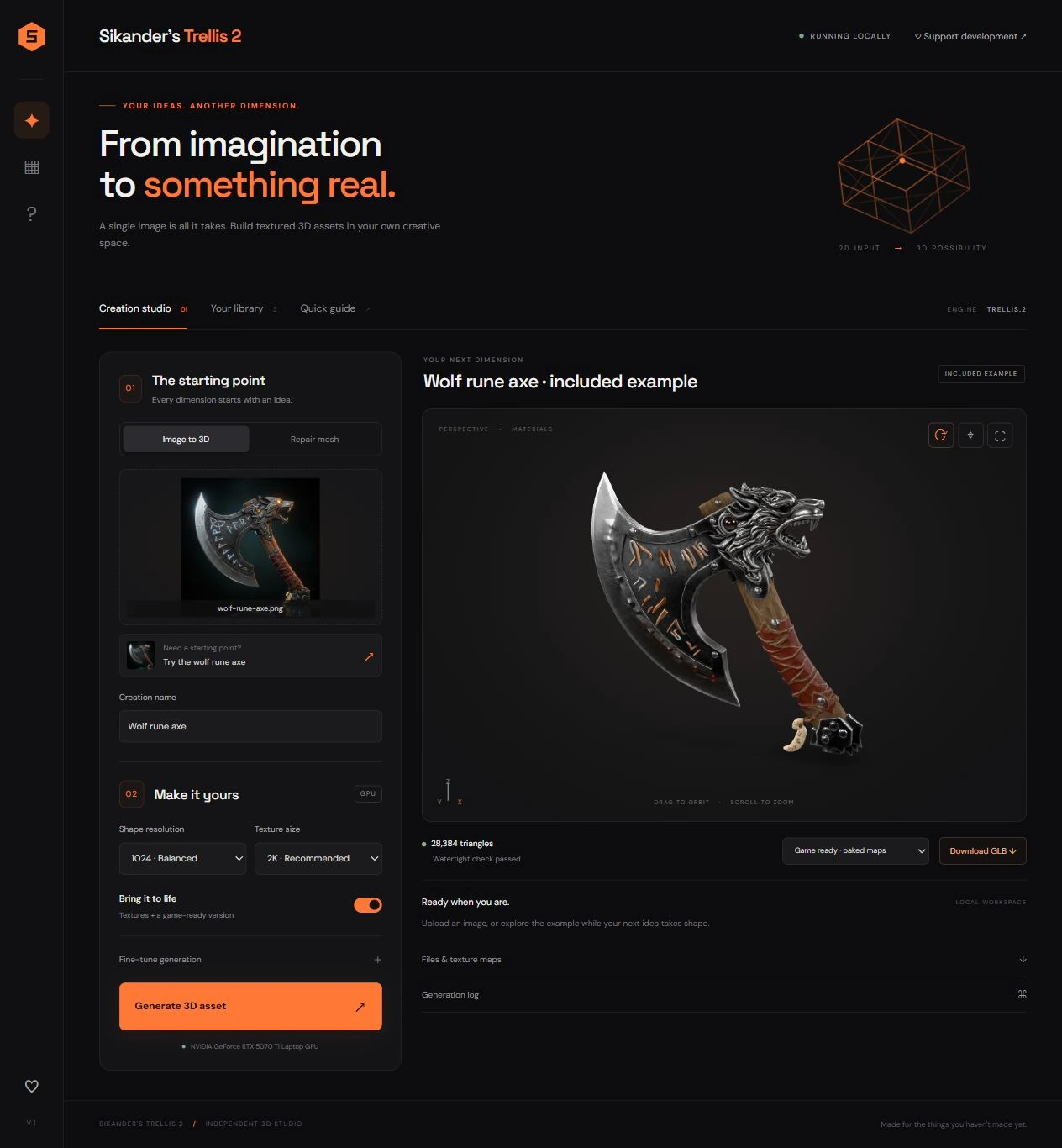
The creation workspace brings the input image, generation controls, 3D result and export options together.
01 / THE IDEA

A closer
look.

Bring a complex image-to-3D pipeline into a clear desktop workflow, with room to inspect and refine the result.

The studio organizes image input, generation controls, geometry review and export in one workspace. A newer multiview interface adds front, left, back and right references, with adjustable view angles. The screenshots show both the creation workspace and this multiview extension, alongside an earlier interface view.

02 / DESIGN APPROACH

From intention
to experience.

The input and generated model sit side by side, keeping the relationship between reference and result visible. Generation controls are grouped into a step-by-step panel; preview, export and saved-work features support the stages that follow.

01

Start with a reference

Bring an image into the creation studio, or review a set of object views in the multiview workspace.

02

Inspect the model

A large interactive preview sits alongside generation controls, with repair and review tools documented as part of the local workflow.

03

Continue beyond generation

Export controls and a saved library keep the result available for further inspection and use.

03 / THE VISUAL STORY

The work,
in full.

Explore the complete compositions and interface states. Select any image for a closer look.

03 / PROJECT IMAGES

Select a view to explore.

VIEW 01 / 03

Image-to-3D studio

The creation workspace brings the input image, generation controls, 3D result and export options together.

The creation workspace brings the input image, generation controls, 3D result and export options together.
VIEW 02 / 03

One object, multiple views

The multiview workspace presents front, left, back and right references alongside view-angle controls before reconstruction.
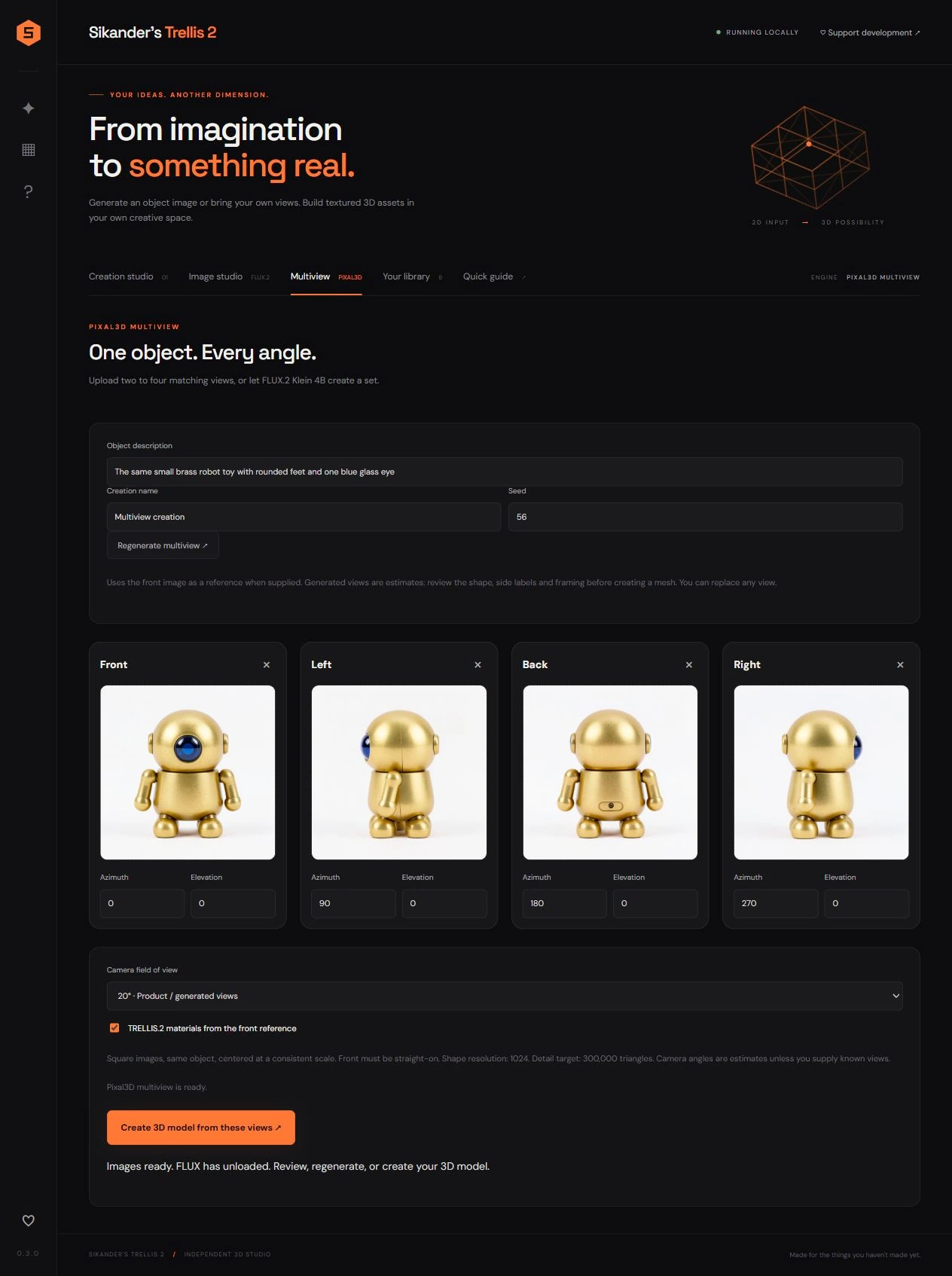
The multiview workspace presents front, left, back and right references alongside view-angle controls before reconstruction.
VIEW 03 / 03

Earlier interface study

An earlier prepared view of the local image-to-3D workflow.
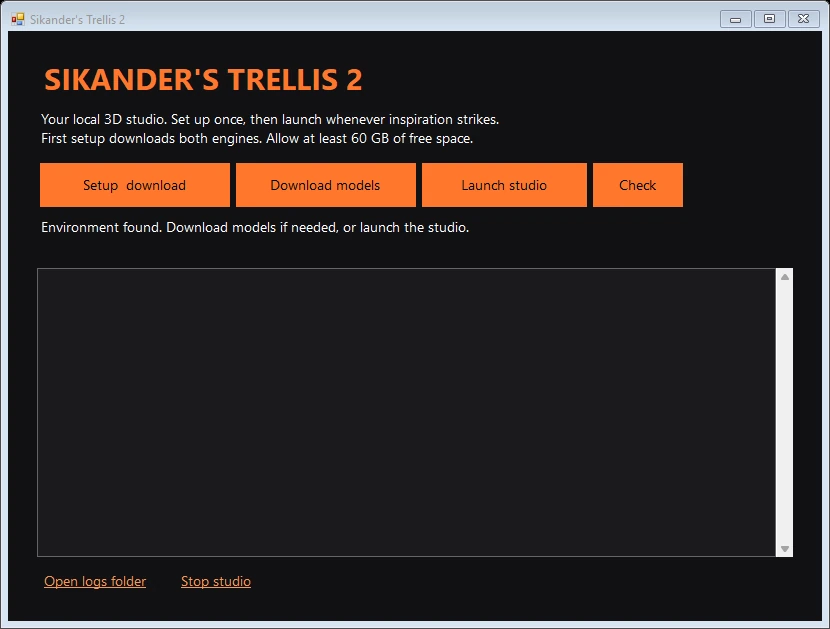
Saved desktop launcher preview with setup, model-download, launch and check controls above an empty output panel.
An existing launcher preview for the local image-to-3D studio. Setup, model download, generation and studio workflows were not exercised during preparation.
04 / THE DETAILS

What brings
it together.

Structure, interaction and visual decisions that give the work its character.

Design decisions

  • Side-by-side reference and model presentation.
  • Progressive controls for input, generation and export.
  • An explicit review stage for multiview references and angles.

Project components

  • Image-to-3D creation workspace and model preview.
  • Multiview reference interface with editable view angles.
  • Export controls, saved-work navigation and an earlier interface study.
Production notes & credits

RoleProduct interface, local pipeline integration, packaging and workflow design; confirm personal responsibility across the application.

AssetsTRELLIS.2, Pixal3D, FLUX, Blender, model-viewer and other upstream tools retain separate credit. Demonstration images and generated meshes are not claims of original hand-modeled geometry. The first two images are complete documentation screenshots; the third is an earlier prepared interface view. Personal contributions and assisted implementation remain documented separately.

StatusDocumented local studio. The source includes a multiview preview workflow; no generation run, performance benchmark or hardware validation was performed for this portfolio pass.

Image notes

  • The creation workspace brings the input image, generation controls, 3D result and export options together.
  • The multiview workspace presents front, left, back and right references alongside view-angle controls before reconstruction.
  • An existing launcher preview for the local image-to-3D studio. Setup, model download, generation and studio workflows were not exercised during preparation.
  • Complete screenshot from the local studio documentation, preserved unchanged. The personal studio mark and engine names are part of the interface. TRELLIS.2, Pixal3D, FLUX and supplied demonstration assets retain their upstream credits. A source screenshot does not establish a newly tested runtime or hardware result.
  • Private evidence draft. This image represents the launcher component, not generated 3D outputs or proof of pipeline performance. Credit TRELLIS.2, Pixal3D, Blender, model-viewer and other upstream tools separately. Individual implementation, supplied assets, AI-assisted contributions and public-use permission remain pending.
HAVE SOMETHING IN MIND?Let’s make it
an experience.